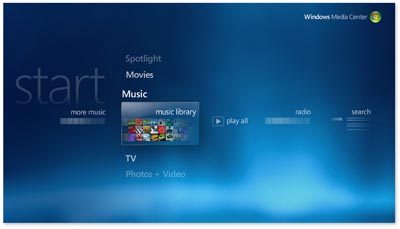
How to Prioritize Tuners in Vista MCE

May 2nd, 2008

I have been looking for a way to prioritize my tuners in Vista Media Center. Why do I want dictate which tuner is used as the default? Mainly to avoid digital rights management. I currently use the HDHomerun as a QAM tuner to receive unencrypted HD channels on my computer. This tuner allows me to record HD channels with digital rights management.

I ultimately want to get a digital cable tuner (I mean buy a new machine that supports DCTs). Ideally, I want to incorporate the HDHomerun into that system. Digital cable tuners incorporate copy protection into anything they record. The HDHomerun does not. I want the HDHomerun to be the default tuner.

Luckily, there is a small application that sets priorities for you: Media Center Tuner Priority. This app basically shows you a list of your tuners and you set which one should be used first.

Auzentech Driver Update | Improved Support for Dolby Digital Live

April 30th, 2008

This week, Auzentech updated their X-FI Prelude drivers for improved Dolby Digital Live support. Why is this important? This proves that Auzentech is a company that is willing to increase the performance of their product through timely release of driver updates, something Creative is notoriously bad at doing.

While somewhat pricey, the X-Fi Prelude appears to be the best audio solution right now for home theater PCs. From the Auzentech website:

With Dolby Digital Live, your PC or game console can be hooked up to your Dolby Digital-equipped audio/video receiver or digital speaker system via a single digital connection, eliminating the confusion of multiple cables and ensuring the integrity of the audio signal.

Basically this means you can pass 5.1 sounds to a receiver from you computer using a digital connection. Look for a HDMI extension board soon.

Sony | Refurbished Digital Cable Tuners Now Available

April 26th, 2008

VAIO Digital TV Tuner VGP-ANK1 Sony made a splash in the media center world a couple of months ago being the first OEM to sell individual digital cable tuners, which are used to watch HD programming on premium cable channels. While you still need to have a computer with the special version of Vista that supported digital cable tuners, Sony offers their customers the ability to increase the number of digital cable tuners in their media center. While nice to see, the price was high for an individual tuner: $300.

I recently was on the SonyStyle website and noticed that Sony is now selling refurbished digital cable tuners for $199, a $100 discount. That certainly is more palatable. Digital cable tuners are known for having a high failure rate right out of the box so buying a refurbished unit may actually be better than buying a new one. I assume a refurbished unit would actually be tested before being sent out. Plus, who cares if you have a refurbished tuner? It either works or it doesn’t. These tuners are ugly and should be hidden anyway.

HP right now is selling the cheapest media centers that support digital cable tuners. Their main drawback is that they only you to purchase one tuner with your system. This makes no sense. Sony helps solve that issue. Currently, the cheapest way to have two tuners, which is almost essential so that you can record and watch TV at the same time, is to buy an HP computer and then buy a refurbished unit from Sony.

THX Display Set-up Guide | How Big a TV Should You Buy?

April 17th, 2008

Bigger is better, right? People buying shiny new TVs always struggle as to how big a TV you should buy. With the prices of HDTVs falling, people can afford to buy bigger and bigger TVs.

To help everyone find the right size TV, THX has developed a quick process for calculating the optimum viewing distance for 1080p HDTVs.

  • Step 1: Measure the diagonal screen size
  • Step 2: Divide by .84

Basically, the methodology revolves around preserving a 40 degree viewing angle between where you sit and the width of your TV. I personally think this is kind of crazy. Take a 42″ TV. Dividing 42 by 0.84 gives you 50 inches. The optimum viewing distance is just over 4 feet! Talk about going blind.

To watch a movie 10 feet away from the screen, you would need over a 100 inch screen according to the good folks a THX. Wow. I suddenly feel very inadequate.

3 Ways to Rip Blu-ray Movies

April 13th, 2008

Even with a ton of DRM, ripping Blu-ray movies is possible. You can rip those movies to hard drive using three different methods. The ticky part is actually not the ripping but the playing of the ripped files. Cyberlink’s PowerDVD Ultra plays Blu-ray movies but does not play them from a hard disk. You have to mount the files as an ISO file and then play the movie.

Here are three options for ripping Blu-ray movies:

  1. AnyDVD HD – This is the easiest but most expensive way of ripping movies. Slysoft is constantly updating AnyDVD HD to combat the ever changing digital rights management schemes that are implemented in Blu-ray disks.
  2. DVDFab HD Decryptor – This software copies entire DVD movie to hard disk, and removes all the protections (CSS, RC, RCE, APS, UOPs and Sony ARccOS) while copying. It also comes with full HD-DVD and Blu-Ray support (Removes AACS).
  3. Running Linux on a PS3. This is a much more complicated way of ripping Blu-ray movies. Basically, you have to install Linux on your Playstation 3. Once you have Linux running, you can then rip the Blu-ray disc. This option is for the hardcore geek.

PowerDVD 8 Ultra now supports Dolby TrueHD

April 2nd, 2008

Cyberlink has announced the release of PowerDVD 8 Ultra, which is the only viable option right now to watch Blu-ray (or HD-DVDs) on a computer since Windows XP or Vista does not have a native ability to play Blu-ray movies.

PowerDVD Ultra has been a maturing piece of software. Version 7 lacked HD audio codecs for Blu-ray movies, which I always thought was an odd ommission. PowerDVD Ultra 8 rectifies this by adding in support for Dolby TrueHD audio codecs. One of the big differences between Blu-ray discs and DVDs is the inclusion of lossless audio for stunning surround sound quality. From Dolby’s website:

Dolby TrueHD delivers tantalizing sound that is bit-for-bit identical to the studio master, unlocking the true high-definition entertainment experience on next-generation discs. When coupled with high-definition video, Dolby TrueHD offers an unprecedented home theater experience that lets you enjoy sound as stunning as the high-definition picture.

PowerDVD Ultra 8 supports the following home theater audio codecs:

  • Dolby TrueHD (7.1-channel)
  • Dolby Digital EX (7.1-channel)
  • Dolby Digital Plus (7.1-channel)
  • Dolby Meridian Lossless Packing (MLP)
  • DTS-HD (7.1-channel)
  • DTS (5.1 channel)
  • DTS 96/24 decoding
  • DTS-ES (Discrete and Matrix)

Only one roadblock remains with PowerDVD Ultra 8 in my opinion: seemless integration with Vista Media Center. Work arounds exist but it would be nice to have an easy to install and seemless integration with VMC.

MyMounter Plugin: Mount an ISO Image in Media Center

March 26th, 2008

With Cyberlink’s PowerDVD Ultra no longer playing hard drive based HD movies from ripped HD-DVDs and Blu-ray discs, the only way to watch such movies is to “mount” an ISO image of the disc and then watch it using PowerDVD. Not an easy thing to do while in Vista Media Center. MyMounter, brought to you by the makers of MyTV, is a plugin designed to streamline the ISO process with VMC.

In order to use MyMounter, you need the following programs: Daemon Tools, AnyDVD HD, and Cyberlink PowerDVD Ultra. Those programs let you rip, mount an image, and watch the movie. Basically, MyMounter scans your files looking for ISO images. Through VMC, you decide which one you want to load. As has always been the case, PowerDVD will be loaded outside of VMC, returning to the VMC interface once the movie is done.

Mounting ISO images has always been popular for gamers, allowing someone to play a game without an actual disc. I would love to see a MyMovies equivalent for video games using MyMounter.
I have not had time to test out this plugin. Once I have, I will post my thoughts.

Dolby Updates Home Theater PC Certification

March 13th, 2008

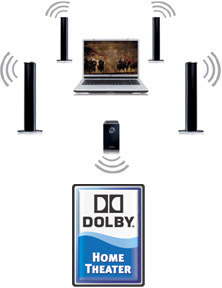
002.jpgDolby has announced a new certification for the home theater pc, called “Dolby Home Theater,” which includes Dolby Pro Logic II decoding to produce 7.1-, 6.1-, or 5.1-channel audio from a two-channel source. The certification also supports Dolby Digital Live, which converts any analog audio signal, as from a PC or game console, into Dolby Digital for connection to a DD-equipped home theater system.

The Home Theater designation includes the following features as part of its specifications:

  • Sound Space Expander is a sound stage enhancer that produces a wide stereo image and in the process improves the separation of instruments without diminishing the center of the mix.
  • Natural Bass is a bass enhancement system for speaker and headphones that provides up to an octave of downward extension in the bass response of most speakers.
  • Dolby Pro Logic(R) IIx creates a vivid 7.1-channel surround sound experience from any stereo (two-channel), 5.1, or 6.1 movie, music, TV, or game audio source.
  • Dolby Digital Live converts any audio signal from a PC or game console into Dolby Digital for easy connection to home theater systems through a single digital cable.
  • Dolby Headphone technology creates a personal surround sound experience using any set of headphones and makes listeners feel like the action is happening all around them.

Hopefully, Dolby can infuse some excitement into the audio portion of the home theater pc. Besides DRM, audio processing is one of the weakest areas of an HTPC. One coherent certification can help simplify the market for the average HTPC enthusiast.

List of Vista SP1 Media Center Fixes

February 24th, 2008

Vista Service Pack 1 fixes several items in Media Center. This Service Pack is more an incremental step in the evolution of Media Center and not the next leap in features. Besides a roll-up of hot fixes, SPI adds the following features:

  • Adds support to enable new types of Windows Media Center Extenders, such as digital televisions and networked DVD players, to connect to Windows Media Center PCs.
  • Enhances the MPEG-2 decoder to support content protection across a user accessible bus on Media Center systems configured with Digital Cable Tuner hardware. This also effectively enables higher levels of hardware decoder acceleration for commercial DVD playback on some hardware.media-center.jpg

Read the rest of this entry »

Tips for DIY Projector Installation

February 6th, 2008

A couple of weeks ago, I helped my cousin install a home theater projector in his basement. It actually took longer than I thought to set it up. After several hours, it still was not quite perfect. The picture looked great, albeit just crooked.

He had a 110″ screen that almost was too big, if there is such a thing. We watched the Duke-Maryland basketball game, which looked fantastic. Sports are suited for such a large screen. Commercials though were almost painful to watch. I am not sure that projectors make good everyday viewing. Channel surfing on a 100″ screen is not actually all that appealing. Movies and sporting events look fantastic and benefit from the larger viewing area.
Here are some tips I learned that afternoon:

  1. The screen will actually be lower than you think. The top was almost at my eye level. This is basically a function of how far the projector is from the screen.
  2. Horizontal lens shift is a very useful feature. We were just a couple of inches off in our installation. Unfortunately, his projector did not have lens shift. Very frustrating.
  3. Ceiling joists, and therefore screens hanging from those joists, sometimes are not level :)
  4. Make sure the projector lens is exactly perpendicular to the screen. Such a big picture makes image distortions very obvious.

Seeing the projector in action though did make me want one in my basement. After hanging the projector from the ceiling and seeing the results of our handy work, I realized professional installation may not be a bad thing.